




In Invision Community 4, it’s easy to open the theme template globalTemplate and make changes to it. With Invision Community 5 this is not possible anymore. So, how to add global code now, for example if you want to embed an external service into your page?
Adding to the HTML body
In your ACP, go to Customization → Appearance → Themes → Edit → Header & Footer
You will see two input fields, one to add HTML code at the beginning of the page (Header HTML), one to add code at the end of the page (Footer HTML).
It’s easy to misunderstand the titles of these fields. “Header“ doesn’t actually mean HTML header, it means “at the top of the HTML body“. 🤯 There is no way to actually make changes to the HTML header here. But we can use a little trick …
Adding to the HTML header
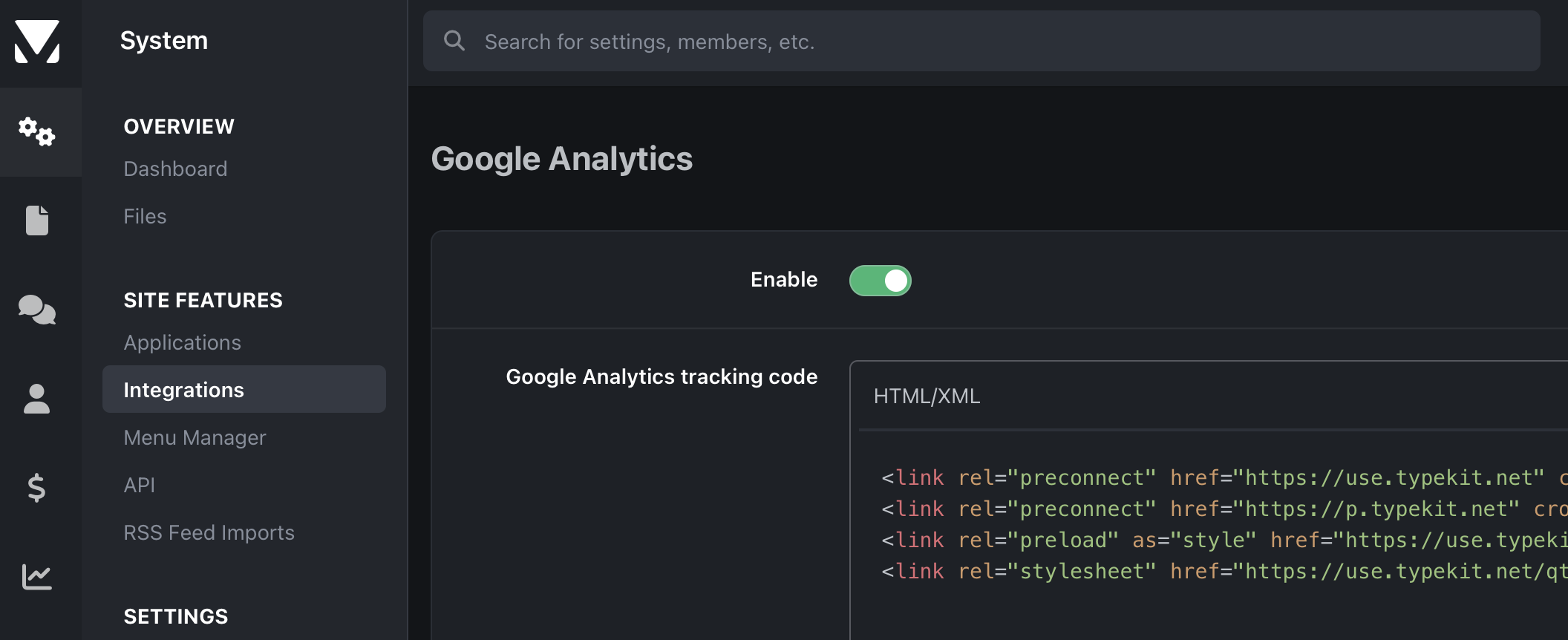
In the ACP, go to System → Site Features → Integrations and open the Google Analytics integration. The code added here will be injected into the HTML header of your community, independent from the themes used. You can of course add your Google Analytics code here, but you can also add additional code. For example, I use this field for webfont services, which require code in the HTML header.
-
 1
1