



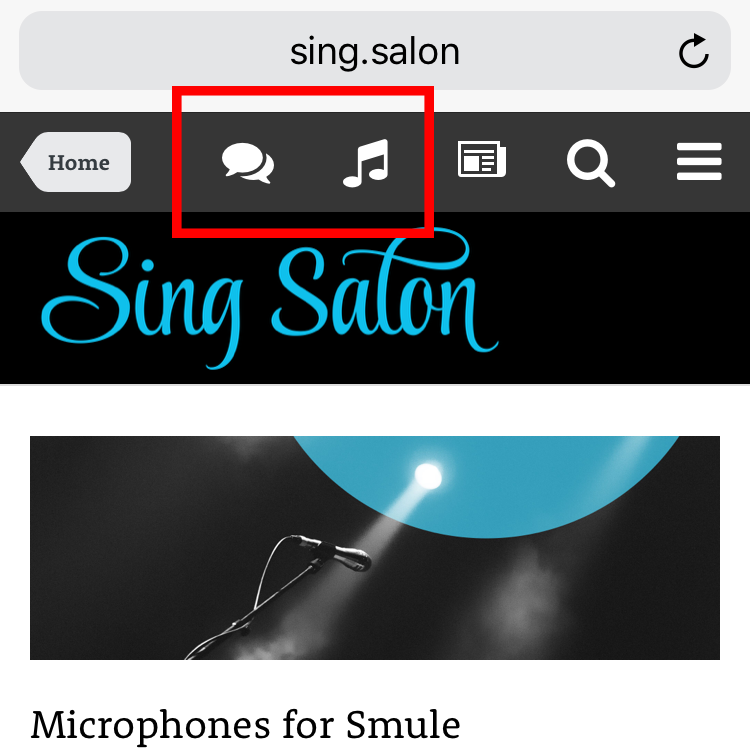

- Core/theme extension
The mobile navigation bar only gives direct access to the search function and the default activity feed. Everything else is moved to an off-screen sidebar, which needs to be opened manually every time. With this plugin you can add one or two links to the mobile navbar, for example to:
make your most important areas (like forums, shop …) more easily accessible on mobile devices
link partner or social media sites
add staff links to the admin or mod control panel
provide more visible login/logout buttons
…
What’s needed:
A stock theme or a custom theme that uses the mobile navbar icons like the stock theme
(there is no guarantee that this will work on custom themes)enough space available next to the stock icons
Settings:
turn link 1 and 2 on or off
set the static links
set the FontAwesome icons
set which groups can see the links
checkbox to open links in a new window
FAQ:
Can I add more than two items?
It’s limited to two since that is a safe amount on a stock IPS theme.
Is this plugin compatible with the Mobile Create plugin?
Yes, but since that plugin already uses up space, you probably only want to add one addition link.
Can I also link pages specific to the user, e.g. the user’s profile page?
This is not supported currently.
Can I use custom images instead of a FontAwesome icon?
This is not supported currently.