





- Pages block template
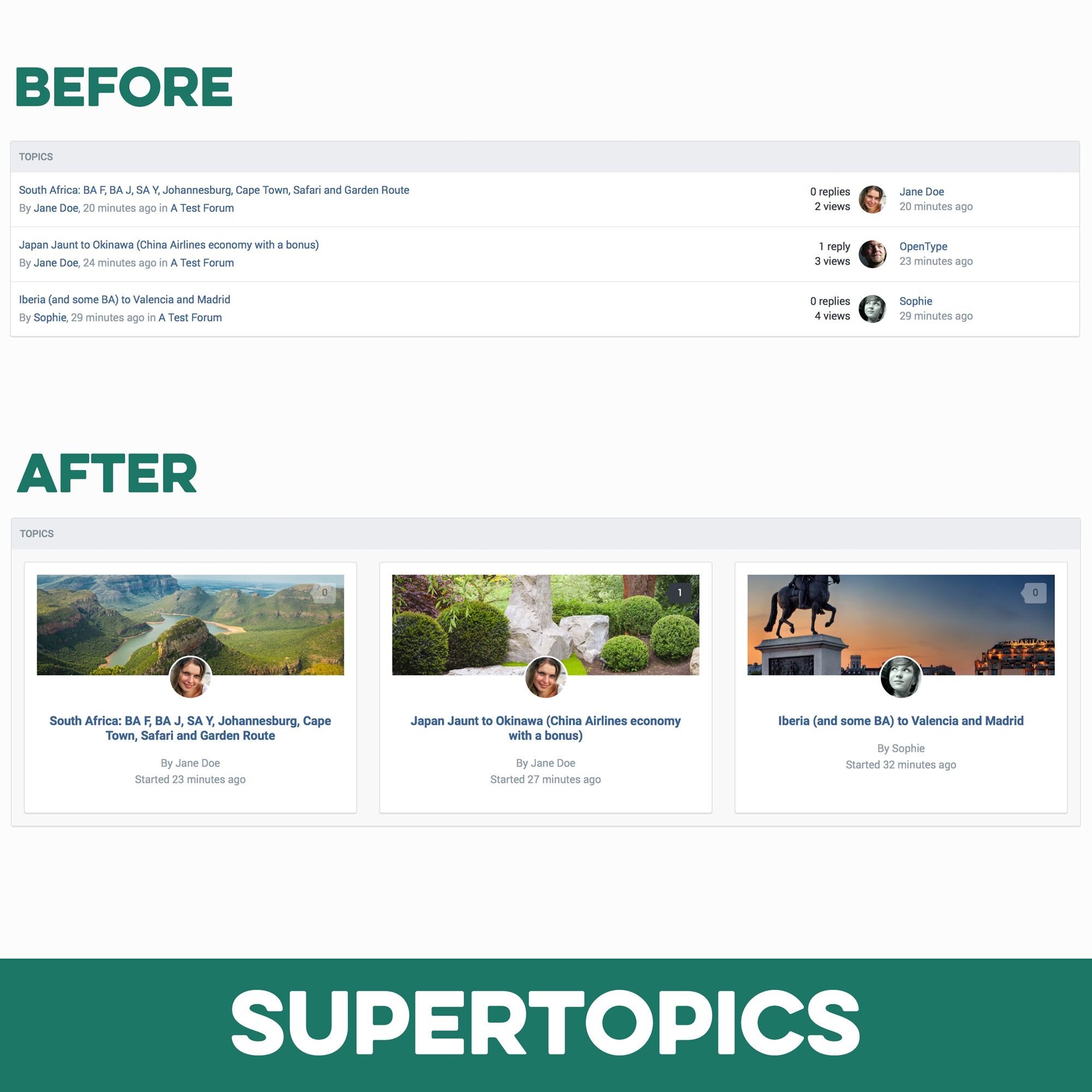
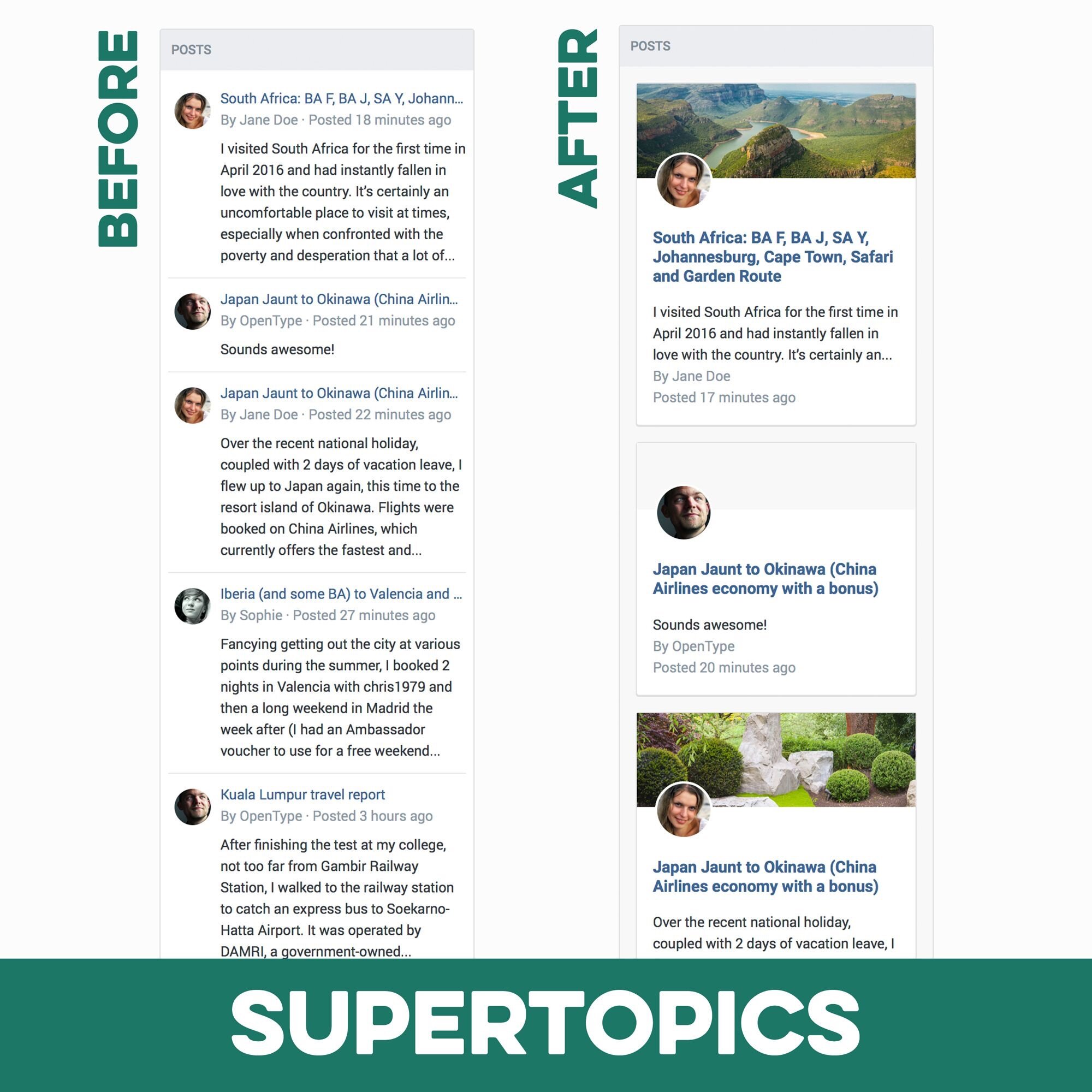
Pages SuperTopics is a set of Pages block templates to show topic and post feeds from the forums app in the popular SuperGrid layout, previously only available for Pages databases. The SuperTopics templates pull the first image attachment from each post/topic and show these images beautifully along with the post title. Perfect for forums where posts usually contain images or where you want to highlight certain topics.
What’s needed:
This product requires both the Forums application and the Pages application.
The Forum app is where the content is taken from and Pages is needed to create the custom blocks using the SuperTopics templates. (Note: This does not affect the regular post/topics widget provided with the forums app. You need to create new blocks using Pages.)
Which templates are included:
A topic feed template, which pulls the first full-size attachment image from the entire topic.
A post feed template, which shows the first full-size attachment from the post, if there is one.
Detailed Feature Description and Notes:
The templates are fully responsive and the blocks can be used both in horizontal (3 rows if screen size permits) and vertical widget containers.
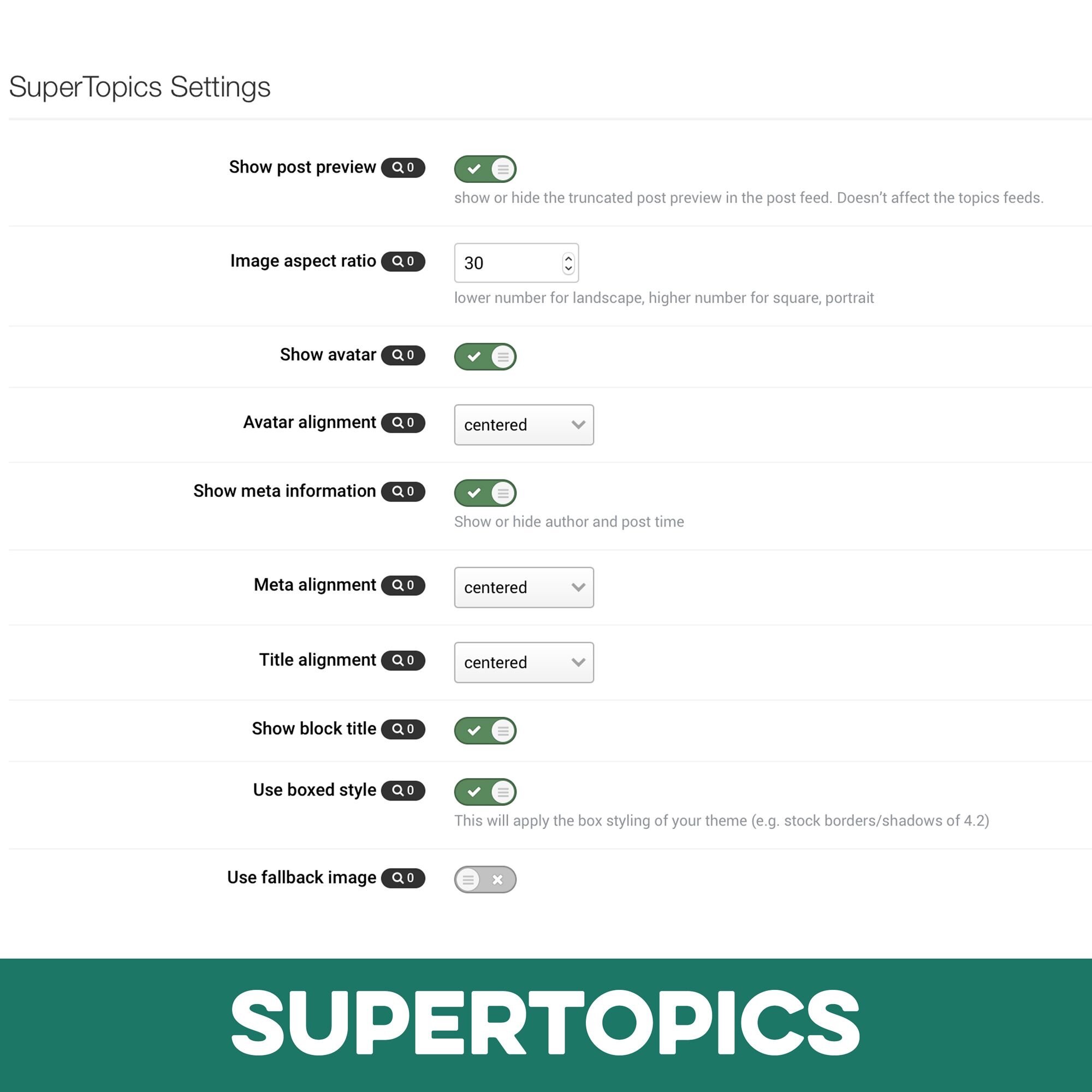
The templates come with several options you can easily adjust through the included settings plugin. Settings apply to all SuperTopics blocks if you have more than one.
Show or hide post preview for post feeds
Image aspect ratio
Show or hide user avatars
Avatar alignment
Show or hide author and post time
Author/post time alignment
Title alignment
Show block title
Use boxed style for each entry
Use fallback image, when the post/topic doesn’t contain attachments
choose one of 3 background colors from the theme (4.5 version and higher)
choose number of entries per row (4.5 version and higher)

Installation & Usage Instructions
In your ACP go to Pages > Blocks
Create a new block with the type Topic Feed or Post Feed or open existing blocks with one of those types.
In the block settings open the last tab labelled Content. Pick supertopic_posts or supertopic_topics in the Template select box.
After saving your new blocks, go to the front-end block manager to place your SuperTopics blocks as “Pages Custom Blocks” on your site.
To edit the settings of the SuperTopics templates, open: ACP > System > Plugins > SuperTopics > Edit