





- Pages database template
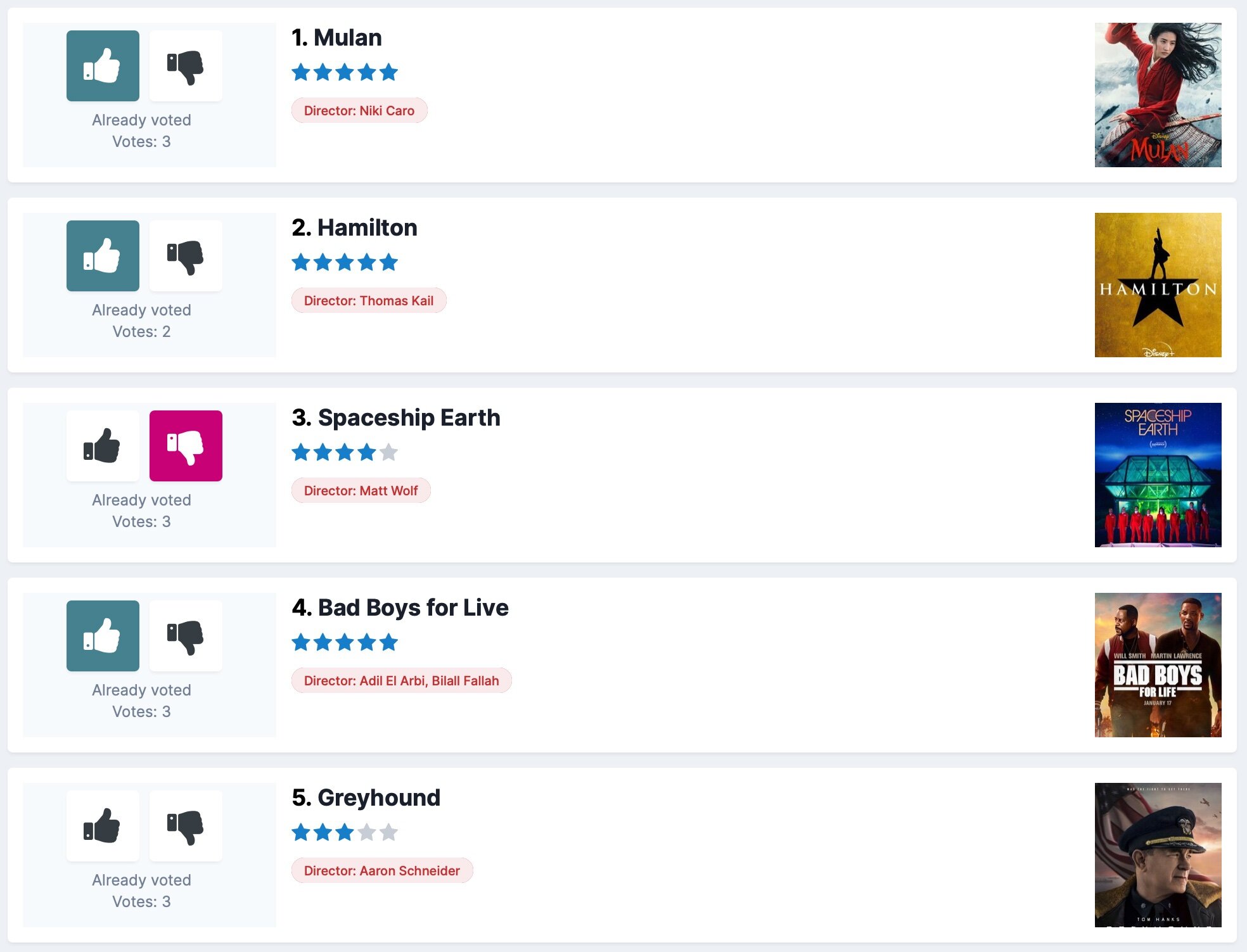
SuperVote is a Pages listing template to add a thumbs-up/thumbs-down functionality to create engaging voting databases like ranker.com. While Pages databases already have a rating functionality, each record needs to be opened first and a rating value between 1 and 5 has to be chosen. With SuperVote, voting gets much easier and you will get a lot more votes.

What’s needed:
Invision Community 4.5 with the Pages application
You should be familiar with setting up Pages databases
How it works:
Under the hood, SuperVote uses the regular voting system of Pages. A thumbs-up click will save a 5-star rating; a thumbs-down click represents 1 star. Because SuperVote uses the standard voting system, you can easily add the template to existing databases and also remove it at any time without loosing any data. Users are also still able to leave 2-, 3- or 4-star ratings on the record view page (A dedicated record view template might come later if requested).
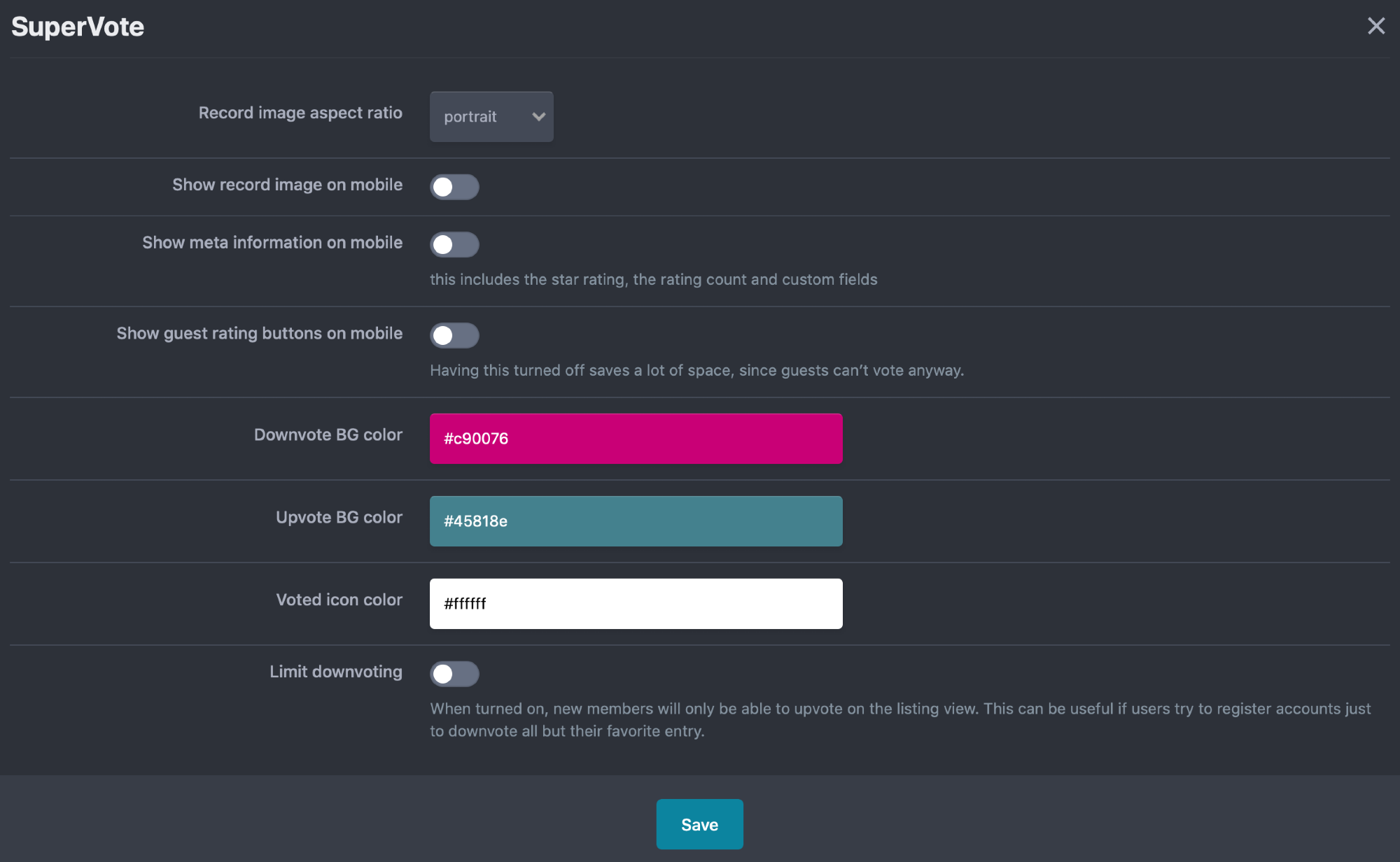
Each entry in the listing view is represented by the record title and the record image (if available). You can also add additional custom fields to the listing view. The listing entries link to a full record view page as usual. The amount of information shown on mobile phones can be controlled through the plugin settings.
Settings/Features:
Record image aspect ratio
narrow
normal
wide
Show record image on phone view
Show meta information on phone view
Show guest rating buttons on phone view
Downvote BG color
Upvote BG color
Voted icon color
Limit downvoting for new accounts
Notes:
Voting is limited to registered members as with any Pages database.
The template can be added to an unlimited number of databases or database categories, but the plugin settings will apply to all uses at the same time.
The listing page doesn’t offer moderation options (like mass-move, mass-delete). These type of functions have to be performed from the ACP.
Installation & Usage Instructions
Install the product through the ACP Plugin section
Create a new Pages database and add it to a page if you don’t want to assign SuperVote to an existing database or category
Open the database settings and perform these steps:
Under Listing Template Group select SuperVote Listing
Turn on Enable Star Ratings?
Switch to the Options tab
Make sure Allow reviews is turned off
Under Field Options → Sort, choose Rating
Under Order, choose Descending
Make sure to give the member groups you want the permission to rate records on the database permissions page.
Your SuperVote database should be working now. Add a few record to test the functionality.
To edit the display settings, go to System → Plugins → SuperVote → Edit (Pencil icon)